FC Mobile 26 Card Creator
Mr. Believer's HubArt & Design
0.00.00 Reviews
- Version
- 1.1.0
- Installs
- 10.00K
- Age Rating
- Everyone
Screenshots
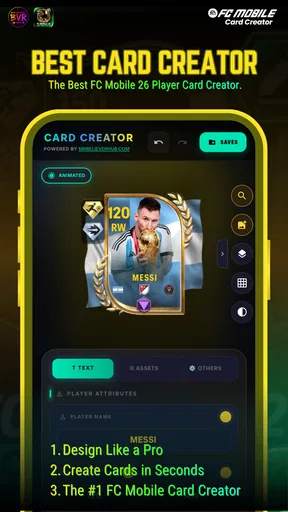
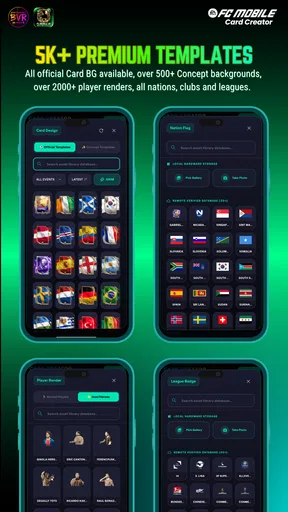
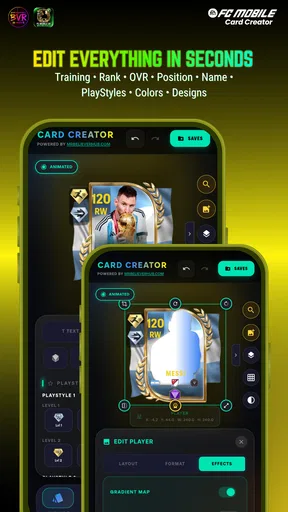
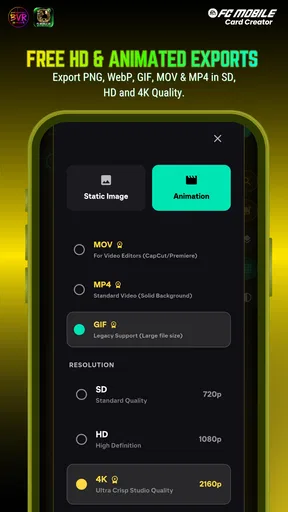
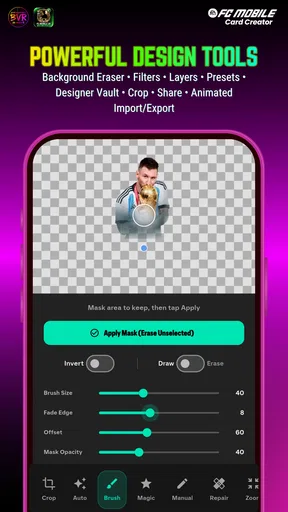
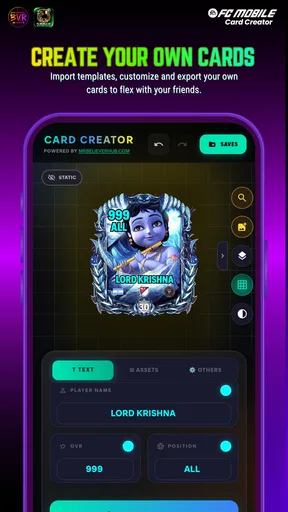
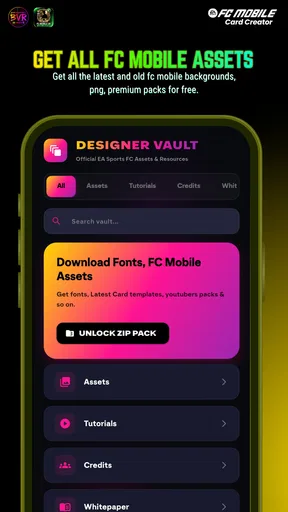
Our Review of FC Mobile 26 Card Creator
 Analysis by Appyee
Creating a convincing FC Mobile card on a phone sounds simple until you try to make one that looks balanced, readable, and ready to share. FC Mobile 26 Card Creator is built for that specific task: choosing a card template, adjusting its visible details, and exporting the finished design. I found it more useful as a quick visual editor than as a full graphic-design tool, which is exactly why its appeal depends so much on where and how you plan to use it.
Developed by Mr. Believer's Hub, this free Art & Design app focuses on football-card customization rather than general image editing. It is aimed at people who want a fast result on a mobile screen, whether that means making a card for a personal collection, preparing a social post, or experimenting with player concepts. Its Everyone rating also makes the basic idea approachable for a broad audience, including younger football fans who may not want to learn a complicated design program first.
I would not treat it as a replacement for a professional editor. I would treat it as a focused shortcut. The value is in reducing the number of design decisions between opening the app and exporting something recognizable as an FC Mobile-style card. That narrow purpose is also its main limitation: if you want unrestricted typography, detailed photo retouching, or a complete poster-making workspace, a conventional editor will give you more control.
How the card-building workflow feels on a phone
I focus here on the small-screen decisions that shape a card before it is ready to share: choosing a layout, fitting the portrait, and keeping key details readable. My aim is to show where a template-led workflow saves effort and where a little restraint makes the result look more considered. From there, I turn to the practical handoff between editing and getting the finished image out of the app.
Templates make the first decision much easier
The most helpful part of the concept is starting with a template instead of a blank canvas. A blank screen asks you to decide the frame, spacing, hierarchy, colors, and placement before you have even chosen the player. A card creator reverses that process. You begin with a visual structure, then concentrate on the content that makes the card yours.
That matters on a phone because small screens make precision work tiring. When the overall card shape is already established, I can spend my attention on the player image, name, position, rating, and other visible elements rather than repeatedly resizing boxes. The result is a quicker workflow for casual designs and a gentler learning curve for someone who has never used a layered editor.
My practical advice is to choose the template before preparing every other asset. It is tempting to collect a photo and invent a complete set of details first, but the template determines how much room those details have. A portrait that looks excellent in one layout may crop awkwardly in another. Working from the frame outward prevents unnecessary editing.
Quick editing is the real strength
The app’s store summary emphasizes picking templates, editing quickly, and exporting, and that description matches the role I would give it in daily use. It is designed around momentum. You are not expected to spend an evening constructing a card from individual shapes. You make a choice, adjust the visible information, check the result, and move on.
This is particularly useful when the idea matters more than perfect production quality. For example, I could imagine using it after a match to create a playful card for a friend, or while discussing a custom squad concept in a group chat. In those situations, speed is more valuable than having dozens of advanced settings that slow down the joke or conversation.
There is a trade-off, though. Fast editing usually means accepting the boundaries of the supplied layouts. If your concept depends on an unusual arrangement, a very specific text treatment, or a composition that falls outside the template’s visual language, the app may feel restrictive. The right question is not whether it can do everything; it is whether your idea fits the card format it is built to handle.
Small-screen editing needs a deliberate routine
On a phone, I recommend making broad choices first and fine adjustments last. Select the card style, place the main image, and enter the essential text before worrying about alignment. Otherwise, it is easy to polish a minor detail and then undo that work when a later change forces the layout to shift.
A useful routine is to pause before exporting and inspect the card at the size where people will actually see it. Large text that looks comfortable while editing can dominate a small social preview, while a subtle rating or position label can become difficult to read after reduction. The export step is not merely a formality; it is the point where the design has to work outside the editor.
I also suggest keeping names and numbers short when the template gives you limited room. Long text can create a crowded appearance even when the card technically accepts it. A concise label often looks more intentional than forcing a complete phrase into a narrow area.
What it is best used for
The strongest use cases are personal and social rather than official. You can make a concept card for a favorite player, create a themed design for a fantasy squad, or prepare a visual response for a football conversation. It can also help younger users explore basic composition because the card format teaches simple design lessons: the portrait needs clear focus, the name needs hierarchy, and the important numbers must remain legible.
It is less suitable for a serious brand campaign, a club’s formal media package, or any project that requires exact identity guidelines. In those contexts, you normally need precise control over fonts, color values, spacing, image treatment, and reusable assets. A dedicated design application is slower, but that extra control is the reason to choose it.
Connectivity, mobile situations, and the export moment
The final step is not just pressing export; it is making sure the image is ready for the place you want to use it and that a mobile interruption does not derail the work. I look at how I would plan around changing signal, limited time, and a busy photo library, then consider what to check before sharing. Those everyday details matter most when a quick card is meant to reach someone straight away.
Where connectivity can shape the experience
Because the workflow involves selecting designs, editing content, and exporting an image, the smoothness of the experience can depend on what the app needs to load or process at each stage. I would plan to begin a card while connected rather than assuming every part of the process will behave identically without a network. That is especially sensible when opening the app for the first time or when you expect templates and export actions to require current app resources.
I would not promise a fully offline workflow based only on the app’s purpose. The safe approach is practical: open it before leaving reliable coverage, let the available editing material appear, and avoid starting an important design minutes before you need to send it. This is less about the app being complicated and more about avoiding surprises when a mobile tool depends on a mixture of local editing and connected actions.
For a quick home session on Wi-Fi, that distinction may barely matter. On public transport, at a stadium, or in a crowded café, it becomes more noticeable. A template that loads immediately at home may take longer in a busy environment, and an export that you expect to share instantly may need an extra moment before it is ready. I prefer to finish the design with enough time for one retry.
Realistic mobile scenarios
Imagine watching a match with friends and wanting to make a custom card for the player who changed the game. The useful workflow is to prepare the image and the basic idea before the final whistle, then open the creator when you have a stable connection, select a suitable template, and keep the edits focused. Trying to invent the entire design while everyone is waiting for the result is where a quick app can still feel slow.
Another scenario is creating several cards for a personal squad concept. In that case, consistency matters more than individual decoration. I would choose one visual direction first, then reuse the same naming style and information order across the set. The creator’s focused format should help maintain a coherent look, but the discipline still comes from the person editing it.
For travel, I would make a small preparation folder containing the portraits and text I intend to use. This reduces the time spent switching between apps or searching through a crowded gallery while the connection is unreliable. It also makes it easier to notice whether an image is too dark, too tightly cropped, or unsuitable for the selected frame before the editing session begins.
Handling failed loads and interrupted exports
Any mobile creation workflow can be frustrating when an action appears to stall. My first response would be to avoid repeatedly tapping the export control. Repeated attempts can make it unclear whether the first request worked, which may leave you with duplicate files or uncertainty about where the final image went. I would wait briefly, check the device’s recent images, and only then try again.
If a template or editing screen does not appear correctly, I would return to the previous step rather than rebuilding the card immediately. A temporary connection problem may affect loading without affecting the work already entered. Saving or exporting at sensible checkpoints is a good habit whenever the design is important, especially after placing the main image and completing the text.
There is also a human recovery step that is easy to overlook: keep the original portrait and written details available outside the app. If a session closes unexpectedly, recreating a short card is far less painful when you do not have to remember every number, spelling choice, or image location. This is one reason I see the app as a quick creator, not the only place where a project should exist.
Using it without wasting mobile data
For data-conscious users, the most sensible strategy is to separate preparation from creation. Review your images at home, crop or select the strongest portrait, and decide what you want the card to say before opening the editor on cellular data. That keeps the connected portion focused on the actual design instead of browsing aimlessly.
It is also worth avoiding unnecessary re-exports. Make the visual decisions first, inspect the card carefully, and export once you are satisfied. This saves time as well as data, and it reduces clutter in the phone’s image library. If you are making a series, check one card at full attention before repeating the process; catching a naming or spacing habit early is easier than correcting an entire batch.
When sharing matters, I would choose the destination before exporting. A card intended for a small chat preview does not need the same visual priorities as one you plan to show in a larger post. The app’s quick workflow is most efficient when you know the purpose of the image rather than producing multiple versions without a clear reason.
Version, access, and who should try it
The current release is version 1.1.0, and the app runs on Android devices using version 7.0 or newer. That gives it a relatively broad compatibility range for people using older phones, although the practical comfort of editing will still depend on screen size, responsiveness, and available storage. A larger display makes checking alignment easier, while a smaller device may reward a simpler card design.
It has passed the ten-thousand-install mark and remains free to use, which makes trying it a low-commitment decision. I would recommend it to FC Mobile fans who want a dedicated card-making shortcut, parents looking for a straightforward creative activity for a football-loving child, and social users who value a finished image more than unlimited customization.
I would skip it if your goal is general-purpose graphic design. Someone creating flyers, thumbnails, logos, or multi-page artwork will probably become frustrated by a specialized card workflow. I would also skip it if you need a guaranteed professional production pipeline with exact repeatability across many assets. In those cases, the usual alternatives—an advanced mobile design suite or a desktop editor—are the better investment of time.
My connectivity verdict
Connectivity does not define the creative idea, but it can define how relaxed the experience feels. The app is most appealing when you have a stable connection, a prepared image, and a clear card concept. Under those conditions, its focused design removes much of the setup work that makes general editors feel excessive for a single football card.
My final view is positive but specific: this is a convenient FC Mobile card-making tool, not a complete art studio. I like the template-first approach, the emphasis on quick edits, and the fact that exporting gives the result a clear purpose outside the app. I would keep expectations realistic around template freedom, mobile precision, and network-sensitive moments.
If you want to turn a player idea into a shareable card without learning a full design program, I think it is worth trying. Prepare your assets, work on a dependable connection, inspect the card at its intended viewing size, and keep the source material handy until the export is safely visible. Used that way, FC Mobile 26 Card Creator does exactly what I would want from a focused football design app: it gets a fun, presentable result from an idea to my phone with very little ceremony.
Verdict
Strengths of FC Mobile 26 Card Creator
- Easy card customization with many designs, ratings, and player details.
- Useful for creating personalized squad concepts and sharing them online.
- Simple interface that beginners can learn without much effort.
- Works well for experimenting with different formations and player combinations.
- Provides a fun creative tool for FC fans and football content creators.
Limitations of FC Mobile 26 Card Creator
- Created cards are not official items and cannot be used in FC Mobile matches.
- Some templates, options, or export features may require in-app purchases.
- Player ratings and databases may not always reflect the latest updates.
- Sharing options can be limited depending on the device or installed apps.
- The app may include advertisements that interrupt the card creation process.
Similar Picks in This Category
View All
Canva: AI Photo & Video Editor
Canva4.8

PENUP – Drawing-sharing SNS
Samsung Electronics Co., Ltd.4.5

Crafto
Kutumb App4.6

Sketchbook
Sketchbook4.1

ibis Paint X
ibis inc.4.5

Adobe Express: AI Photo, Video
Adobe4.6
Frequently Asked Questions
What is FC Mobile 26 Card Creator, and what can I use it for?
FC Mobile 26 Card Creator is a fan-made design tool for creating custom football player cards inspired by the visual style of FC Mobile. After testing its main features, it is best understood as a creative generator rather than an official game mode. You can usually select a card design, add a player name, position, rating, statistics, club, nation, and image, then save or share the finished creation.
Is FC Mobile 26 Card Creator an official EA Sports application?
No. FC Mobile 26 Card Creator should not be confused with the official EA SPORTS FC Mobile game. It is an independent fan-created application or tool and is not an official way to obtain players, coins, packs, rewards, or upgrades in FC Mobile. Users should avoid entering their EA account details, passwords, or payment information, especially if a third-party download page makes claims about official rewards or game integration.
Can I use the cards created with FC Mobile 26 Card Creator inside FC Mobile?
No, cards made with this creator are generally images or digital designs for entertainment, customization, and sharing. They do not become playable items in the official FC Mobile database and cannot be transferred into your squad, inventory, Ultimate Team-style collection, or account. The creator is useful for imagining custom players, designing concepts, or making social media content, but it does not modify the official game.
Does FC Mobile 26 Card Creator require an internet connection or personal information?
The exact requirements can vary depending on the version and platform, but basic card editing may work without a constant internet connection if templates and tools are stored locally. Internet access may still be needed for advertisements, downloading assets, sharing creations, or loading updated designs. Before using it, review the requested permissions and privacy policy, and avoid providing unnecessary personal information or granting access unrelated to card creation.
Is FC Mobile 26 Card Creator safe to download and use?
Safety depends largely on where you obtain the application. The safest option is an official app store listing with a recognizable developer, transparent permissions, recent updates, and user reviews. Be cautious with APK files from unknown websites, modified versions, or downloads promising unlimited coins and official FC Mobile benefits. Scan files when possible, keep your device updated, and never disable important security protections simply to install the app.
